+86 18560646018

Views: 228 Author: Focus Color Publish Time: 2026-11-09 Origin: Site


Content Menu
● What Is an LCD Thermometer Strip?
>> How Liquid Crystal Temperature Strips Work
● How to Read LCD Thermometer Strip Colors
>> Why Product Instructions Take Priority
● How to Read a Thermometer Strip Step by Step
>> 1. Check the Temperature Scale and Range
>> 2. Confirm the Intended Application
>> 3. Prepare the Measurement Surface
>> 4. Allow the Display to Stabilize
>> 5. Read Under Suitable Lighting
>> 6. Record an Appropriate Level of Precision
● How to Read an Aquarium Thermometer Strip
● How to Read a Forehead Temperature Strip Safely
● How Accurate Are Liquid Crystal Thermometer Strips?
>> Accuracy and Resolution Are Different
>> Manufacturer Specifications Illustrate the Difference
● Why Is My Thermometer Strip Black or Difficult to Read?
● A Practical Verification Method for Commercial Buyers
>> Step 1: Define the Decision the Strip Supports
>> Step 2: Compare Under Matched Conditions
>> Step 3: Test More Than One Temperature
>> Step 4: Test User Interpretation
● Choosing a Custom LCD Thermometer Strip
● Request a Strip Designed for Your Application
>> 1. Which Color Should I Read on an LCD Thermometer Strip?
>> 2. What If Two Numbers Change Color at the Same Time?
>> 3. Can I Reuse a Liquid Crystal Thermometer Strip?
>> 4. Does a Strip Remember the Highest Temperature?
>> 5. Can an Aquarium Strip Measure Body Temperature?
>> 6. Why Does My Strip Differ From My Digital Thermometer?
Learning how to read LCD thermometer strip colors starts with one rule: on many liquid crystal strips, green indicates the temperature to read. If neighboring numbers show blue and tan instead, the temperature may fall between those marks. Always check the instructions supplied with your particular strip, because color conventions and reading methods can vary.
The colors are only part of the answer. Placement, surface contact, temperature range, and reading time also affect what you see.
At Qingdao Focus On Color Industry & Trade Co., Ltd., our manufacturing perspective draws on more than 13 years of experience producing photochromic, thermochromic, liquid crystal thermometer, and fragrance products. This guide explains how to interpret a strip correctly—and how to recognize when another measurement method is needed.

In this guide, "LCD thermometer strip" means a liquid crystal temperature strip, not an electronic thermometer with a digital screen.
These thin indicators contain temperature-sensitive liquid crystals, commonly microencapsulated and applied over a dark background. As their temperature changes, their reflected color changes.
A graduated strip contains several sensing elements associated with different temperature marks. The visible colors help you identify the current reading.
Within its operating range, an individual sensing element typically progresses through warm colors, green, and blue as it warms. Outside that element's active range, it can appear dark.
These changes are reversible. When the surface cools, the color sequence reverses.
That makes a reversible liquid crystal thermometer useful for checking current conditions. However, it does not preserve a record of the highest temperature reached.
Start with the product's printed legend or instructions. The following interpretation applies to many conventional green-reading strips, but it should not replace model-specific guidance.
| Visible display | Common interpretation | What to do |
|---|---|---|
| One numbered element is green | Temperature is approximately that marked value | Read the associated number |
| Lower-numbered element is blue; higher-numbered element is tan or brown | Temperature lies between those marks | Estimate between them only if instructions permit |
| Several neighboring colors are visible | Adjacent elements are responding around their transition ranges | Identify green rather than choosing the brightest color |
| All elements appear dark | Temperature may be outside the range, or another issue may be present | Check range, contact, lighting, and condition |
On many liquid crystal temperature strips, green identifies the calibrated reading.
For example, if the 24°C element is green, read approximately 24°C. Do not automatically select a neighboring blue number simply because it appears more vivid.
The color is the signal; the printed number supplies its temperature value.
For common three-color designs:
- A blue element generally has a printed value below the actual temperature.
- A tan or brown element generally has a printed value above the actual temperature.
- A green element corresponds approximately to the actual temperature.
Suppose 24°C appears blue and 26°C appears tan, with no green visible. If the manufacturer specifies midpoint interpretation, approximately 25°C is a reasonable reading.
This is interpolation, not an additional calibrated measurement point.
Not every strip uses identical chemistry, spacing, graphics, or interpretation rules.
Some forehead strips specify a correction when only blue or tan appears. Some industrial products use different display behavior.
Never transfer a color rule from one product to another without checking its instructions.
Identify whether the strip displays Celsius, Fahrenheit, or both.
Then check its lowest and highest marked temperatures. A strip cannot provide a useful numerical reading outside its specified range.
For dual-scale strips, follow the row associated with the correct unit.
Determine whether the product is designed for:
- External aquarium glass.
- Fermentation containers.
- Equipment or packaging surfaces.
- Forehead temperature indication.
These products may look similar, but their operating ranges, adhesives, accuracy specifications, and instructions can differ.
For adhesive surface indicators, use a clean, dry surface compatible with the adhesive.
Dust, grease, moisture, or trapped air can interfere with attachment and thermal contact. Avoid creases and lifted edges.
For skin-contact products, follow the specific placement and hygiene instructions.
Wait for the manufacturer's stated response time and watch until the colors stop changing.
There is no universal waiting period. One published forehead-strip instruction specifies approximately 15 seconds, but that does not establish a timing rule for every aquarium or industrial strip.
Use enough light to distinguish the colors clearly.
Avoid glare and direct sunlight. Sunlight can affect both visibility and the temperature of the strip itself.
Read without touching the sensing area unnecessarily, since your fingers may warm it.
If 24°C is green, record approximately 24°C—not 24.00°C.
Extra decimal places do not improve the measurement. Match your reported precision to the strip's scale, instructions, and specified accuracy.
An externally attached aquarium strip responds to the temperature of the glass at its installation point. That makes it an indirect indication of water temperature, rather than a direct immersed measurement.
For installation:
1. Follow the supplier's external-placement instructions.
2. Choose a suitable area below the waterline.
3. Avoid direct sunlight and nearby external heat sources.
4. Apply the strip smoothly.
5. Let the tank and strip stabilize before reading.
For example, a green 26°C mark indicates approximately 26°C at the sensing location.
However, cool room air, nearby heating, glass construction, or local temperature differences may affect how well that reading represents the water.
For temperature-sensitive livestock or unexplained changes, verify conditions using a suitable immersed thermometer. Do not immerse an external adhesive strip unless it is specifically designed for underwater use.
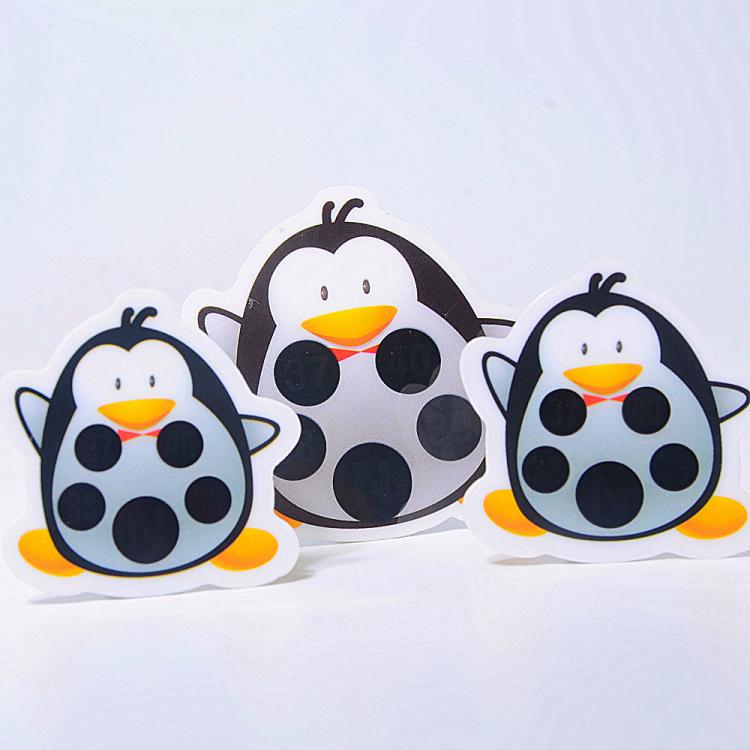
Forehead strips require a different level of caution because skin temperature is not the same as internal body temperature.
Follow the product instructions for placement, contact time, reading, and reuse. A typical procedure involves applying the strip to a dry forehead and reading it while contact is maintained.
Important precautions include:
- Avoid direct sunlight or strong nearby heat.
- Do not assume all products share the same waiting time.
- Follow any instructions about exercise, bathing, or environmental adjustment.
- Do not use a reassuring strip reading to dismiss concerning symptoms.
Published clinical evidence has identified limitations in forehead-strip fever detection, including missed fevers.
If illness or fever is suspected, confirm with an appropriate clinical thermometer and seek medical advice when necessary. An aquarium or general-purpose surface strip is not a substitute for a body-temperature device.
There is no single accuracy figure that applies to every liquid crystal thermometer strip.
Specifications depend on the product, temperature range, construction, and intended application. Installation and interpretation also affect the result.
Resolution describes how finely the display separates temperature values. Accuracy describes how closely the indicated value agrees with a reference under specified conditions.
A strip marked every 1°C is not automatically accurate to ±0.5°C.
Likewise, estimating between two marks does not prove that the product can measure that midpoint with the same certainty as a calibrated instrument.
One published liquid crystal product specification lists:
| Temperature range | Stated accuracy for that product family |
|---|---|
| −30°C to 59°C | ±1°C |
| 60°C to 89°C | ±2°C |
| 90°C to 120°C | ±3°C |
These figures illustrate why buyers should request the actual specification. They are not universal performance claims or specifications for every product manufactured by Qingdao Focus On Color.
For purchasing decisions, request the applicable accuracy, test conditions, response time, and acceptance criteria.
A dark display does not automatically mean the strip has failed.
| Problem | Possible explanation | Practical check |
|---|---|---|
| Entire strip remains dark | Temperature is outside its range | Compare expected temperature with the marked range |
| Colors change slowly | The surface and strip are still stabilizing | Allow the specified response time |
| Reading differs from a probe | Different measurement locations or thermal conditions | Compare under stable, matched conditions |
| Display looks patchy | Uneven contact, damage, or contamination | Inspect the strip and its attachment |
| Colors are hard to distinguish | Poor lighting, glare, or unsuitable viewing conditions | Improve lighting without heating the strip |
Excessive heat and ultraviolet exposure can damage some liquid crystal products. Follow the supplier's storage and operating limits.
Avoid repeatedly peeling off and reapplying a strip unless its adhesive is designed for repositioning.
From a manufacturing and product-development perspective, the useful question is not simply, "Does the strip change color?"
It is, "Can the intended user interpret the display correctly in the intended application?"
The following is a proposed verification workflow, not a claim about a completed customer test.
Specify whether users need to:
- Observe general temperature trends.
- Identify a preferred operating band.
- Detect movement toward a limit.
- Make a measurement requiring tighter accuracy.
This determines whether a visual strip is suitable.
Use an appropriate reference thermometer and keep the comparison conditions stable.
Where practical, measure the same location or a closely matched thermal location. Comparing external container temperature with liquid at another depth can introduce differences unrelated to strip quality.
Check representative points across the intended range, not just one convenient room-temperature point.
Observe both warming and cooling behavior, and allow stabilization before recording results.
Ask representative users to read the sample without coaching.
If they repeatedly select blue instead of green, the solution may involve clearer instructions, larger markings, or a better legend—not simply different sensing chemistry.
Record the reference reading, strip interpretation, conditions, and agreed acceptance criteria.
A successful custom strip combines sensing performance with readable design.
For an OEM or ODM enquiry, prepare the following information:
- Intended application and installation surface.
- Required temperature range and scale.
- Temperature intervals and accuracy requirements.
- Strip dimensions and viewing distance.
- Adhesive and environmental requirements.
- Expected exposure to moisture, sunlight, or cleaning.
- Branding, language, packaging, and order quantity.
A wider temperature range is not automatically better. Within a limited label size, additional sensing points can compete with readable numbers and instructions.
For export products, a clear color legend and explicit unit markings can reduce interpretation errors across markets.
Qingdao Focus On Color Industry & Trade Co., Ltd. provides OEM, ODM, and personalized customization supported by more than 13 years of manufacturing experience.
Send us your application, target temperature range, dimensions, installation surface, and estimated quantity. Request a sample and product-specific reading instructions so you can evaluate display clarity and performance before confirming your order.
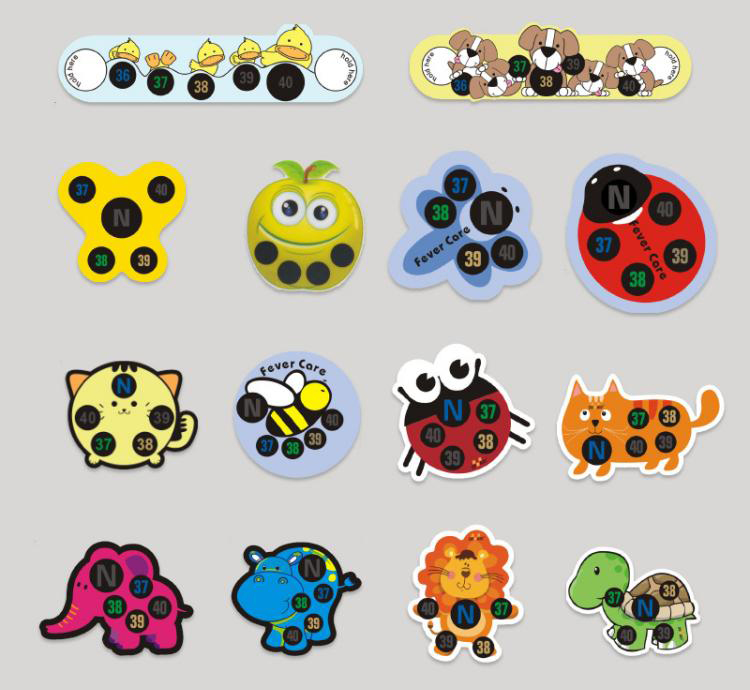
On many conventional strips, read the green element. If green is absent, follow the product's instructions for interpreting neighboring colors.
Adjacent elements may respond together near a transition. Look for green first. Estimate between blue and tan only when the manufacturer permits that method.
The sensing response is generally reversible. Actual reuse depends on the product's adhesive, construction, hygiene requirements, and instructions.
A standard reversible liquid crystal strip does not retain maximum-temperature history. Use a suitable irreversible indicator or data logger when historical exposure matters.
Do not use a general aquarium strip for clinical temperature assessment. Use a device intended for body-temperature measurement and follow its instructions.
They may measure different locations or respond at different speeds. Check stabilization, contact, measurement position, and both products' specifications before concluding that one is defective.
- SpotSee. "Liquid Crystal Thermometers." Technical explanation of reversible color changes, green-reading interpretation, customization options, and product-specific accuracy ranges. [spotsee]
- DwyerOmega. "Reversible Temperature Liquid Crystal Strips." RLC-80 product information explaining brown, green, and blue indications and model-specific display behavior. [dwyeromega]
- LCR Hallcrest technical datasheet, hosted by Farnell. "Thermochromic Liquid Crystal Reversible Temperature Indicating Labels." Reading guidance, midpoint interpretation, temperature increments, and handling considerations. [farnell]
- SpotSee. "Forehead Thermometer." Product instructions covering application, approximately 15-second reading time, environmental precautions, and model-specific color interpretation. [spotsee]
- University of Oxford, Centre for Evidence-Based Medicine. "Accuracy of Strip-Like Forehead Thermometers." Evidence review discussing limitations in clinical temperature assessment and fever detection. [cebm]
- Scholefield, J. M., et al. "Liquid Crystal Forehead Temperature Strips: A Clinical Appraisal." PubMed-indexed clinical study comparing forehead strips with reference temperature measurements in children. [pubmed.ncbi.nlm.nih]
- Scientific Instrument Services. "Telatemp Liquid Crystal Thermometers." Surface-temperature applications, color interpretation, and temperature-dependent accuracy specifications. [sisweb]


